


Power Scalper for Option Traders




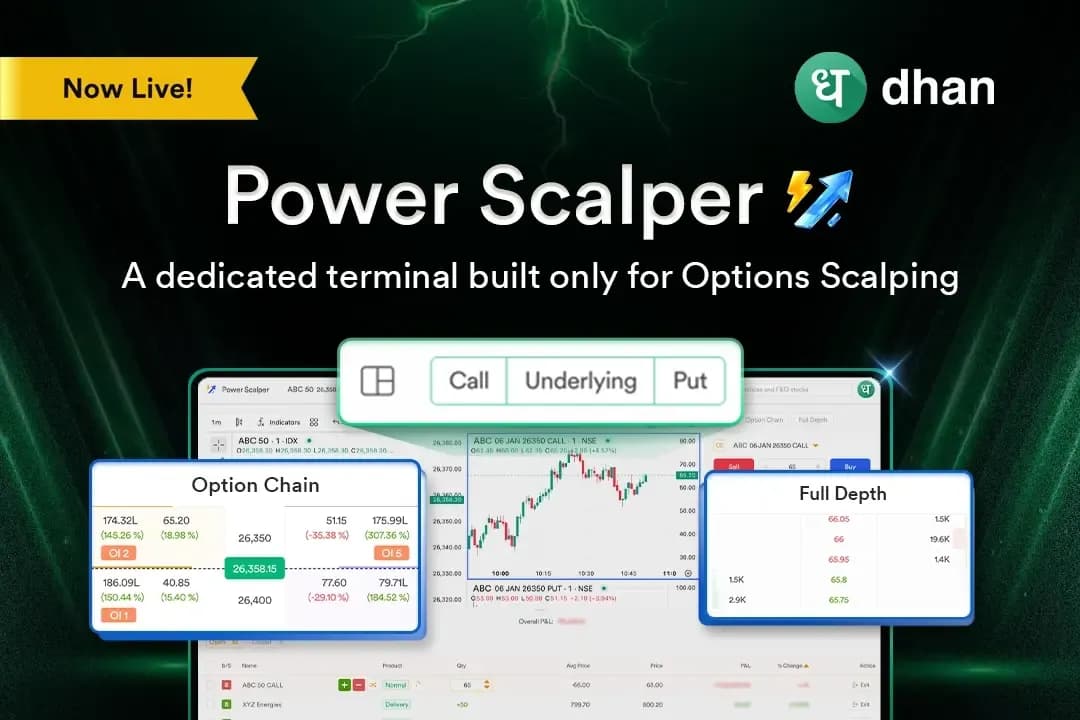

That’s why we’ve built a dedicated scalping terminal that lets you place orders directly from the charts. Also, it lets you see the underlying, call, and put charts right on a single screen. By using this feature, you can enter and exit positions with speed and accuracy.
What is a Power Scalper?
Power Scalper is a dedicated scalping terminal on Dhan that brings charts, option chains, market depth, and position management into a single interface. It is designed to help options traders view the market and execute trades without switching between multiple tools.
Using Scalper, you can enter and exit trades with one tap while simultaneously trading calls and puts. At the same time, the terminal offers a high degree of customization so that you can build your Scalping setup as you wish.
What it actually solves
Fast order placement and separate tools like charts, option chains, and order windows are generally scattered across platforms or windows. Power Scalper brings these elements into a single window, which reduces the need for constant navigation during fast-moving markets. Power Scalper is designed to solve the following problems:
Everything in one place
Earlier, traders had to switch screens and look for the exact data, which increased delays in decision-making and in analysing the ongoing situation. The Power Scalper is designed to help you see everything on a single screen.
Faster reaction time
Scalping is all about the timing. It requires quick strike selection and immediate execution. By using a power scalper, you can reduce your navigation time and make fewer clicks, giving you extra time.
How the Power Scalper works
Power Scalper is designed keeping the traders' needs in mind. Let’s look at how Power Scalper works.
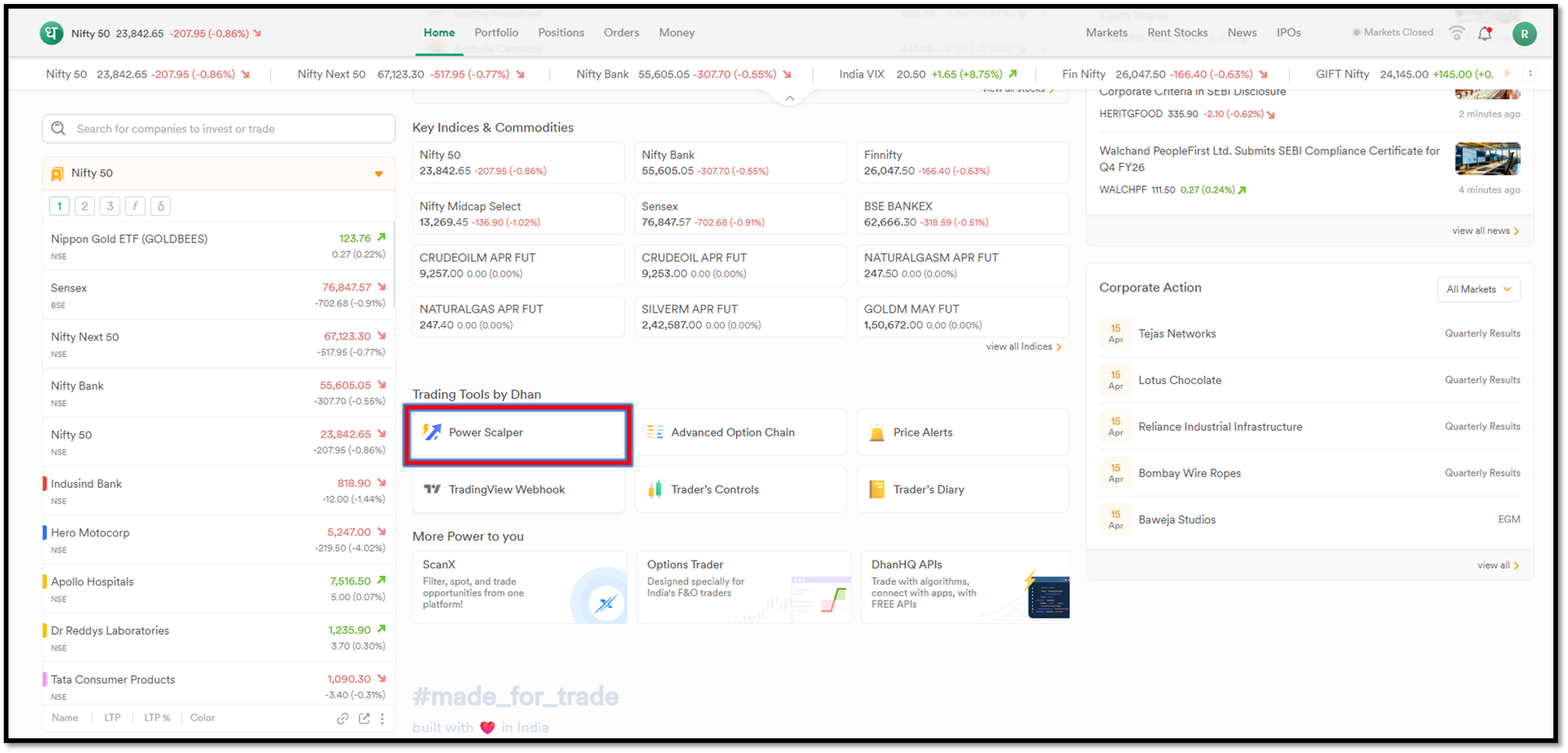
- To open the Power Scalper, go to https://web.dhan.co/ and log in. You will see the home screen. Scroll down a little you will see the power scalper tab. Click on it to open the Power Scalper. Power scalper will open in a new window.
- Select the index and strike price with the desired expiry. Refer to the figure below:
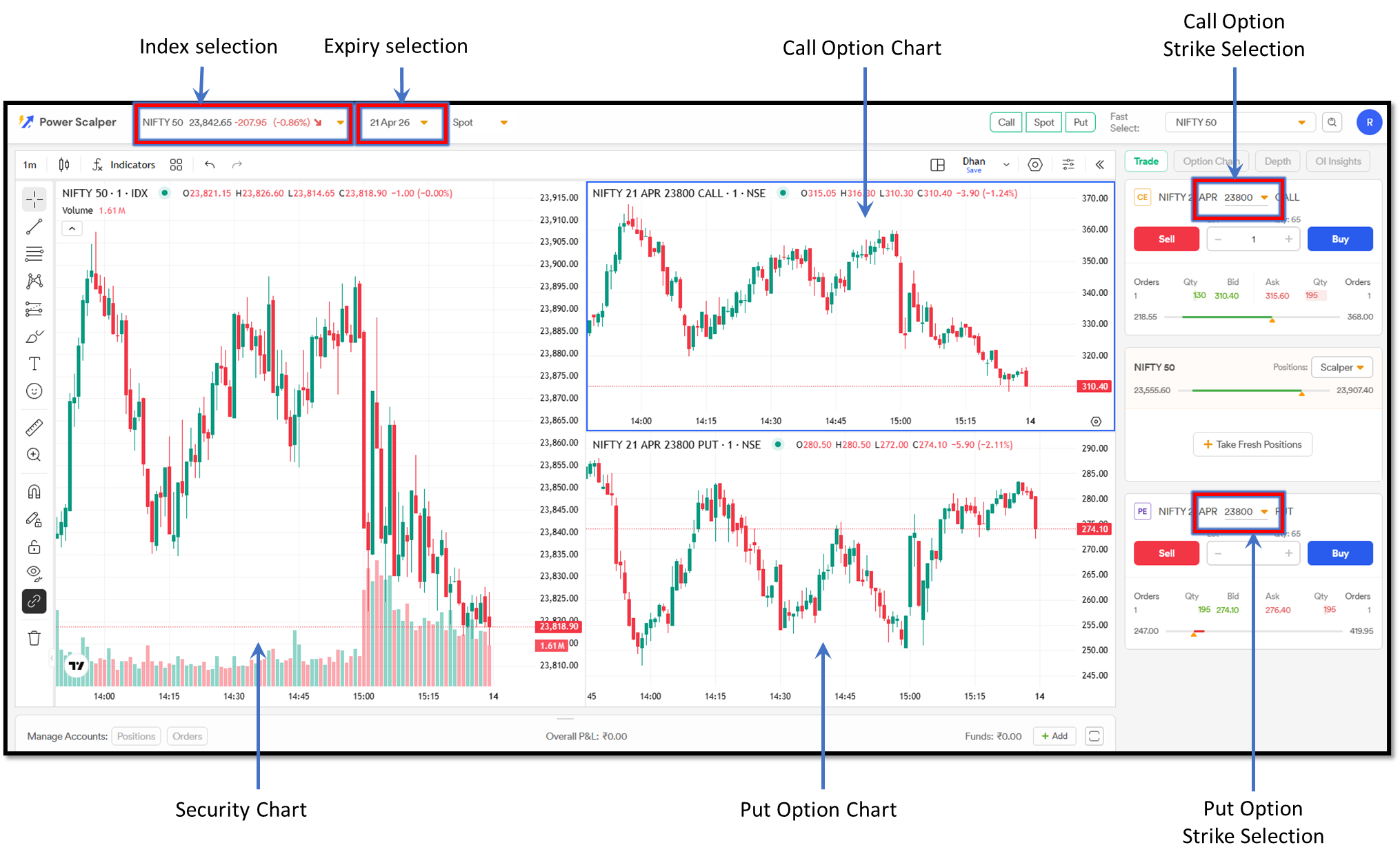
- Once you select the desired strike price and expiry date, the call and put option charts will automatically update. Analyse the charts along with the options data like option chain and OI insights, to help you decide entry based on price action.
- Execute the order instantly from the same interface by clicking on the ‘Buy’ or ‘Sell’ buttons.
Key Benefits
The power scalper offers the following benefits.
- A single-screen interface results in no wastage of time for switching tabs.
- With a single click, you can execute the order.
- With an integrated option chain, select the strike prices quickly.
- Easily manage positions with real-time margin visibility.
- Use a dedicated, high-speed terminal to stay in line with the markets.
Use Cases
The practical use cases of the power scalper are given below:
Intraday Scalping
You identify a quick momentum move. Enter instantly and exit quickly based on price movement.
Power Scalper helps reduce execution delay.
Breakout Trading
When a price breaks a key level, you don’t have time to open multiple tabs, and you need to take immediate action.
Power scalper makes it smoother, as everything you need is right there in front of you.
Conclusion
Power Scalper is built as a dedicated terminal specifically for scalping. It simplifies the execution workflow by bringing market view and order placement into a single interface. It helps traders to respond faster during active market conditions. For scalpers, timing and execution are very important, and a tool like Power Scalper improves their trading experience.