


Now multi-select stocks on new Watchlist with advanced features





Key takeaways
- Advanced Watchlists on Dhan Web allow you to select multiple scrips simultaneously and perform bulk actions from a single view.
- You can customise watchlists by selecting, removing, and rearranging columns based on your preferred workflow.
- The feature helps organise and manage larger watchlists more efficiently by reducing repetitive manual actions.
Tasks such as assigning colour tags, deleting multiple entries, organising stocks, or preparing baskets may require several individual actions.
Similarly, not every user tracks markets in the same way. Some may prefer to view only a few data points, while others may require additional information within the watchlist itself.
Our Advanced Watchlists with Multi-Select addresses these workflow challenges by introducing bulk actions and watchlist customisation options on Dhan Web.
What are Advanced Watchlists with Multi-Select Capabilities?
Advanced Watchlists with Multi-Select Capabilities is a watchlist management feature on Dhan Web that allows you to perform actions on multiple scrips simultaneously while also customising how watchlists are displayed.
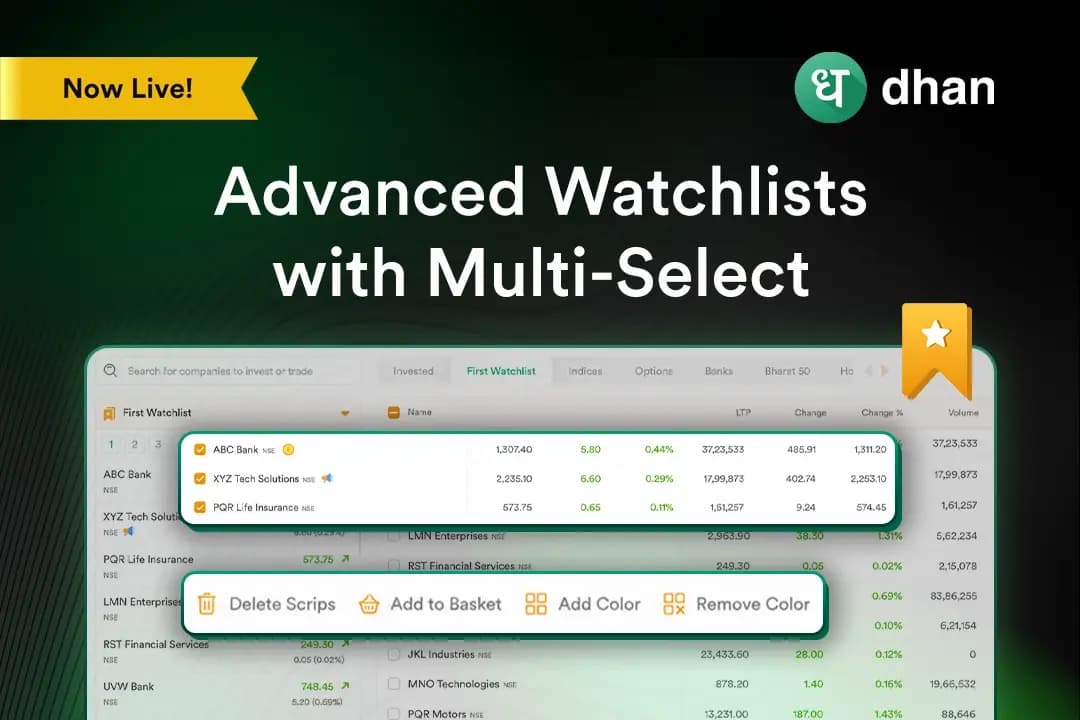
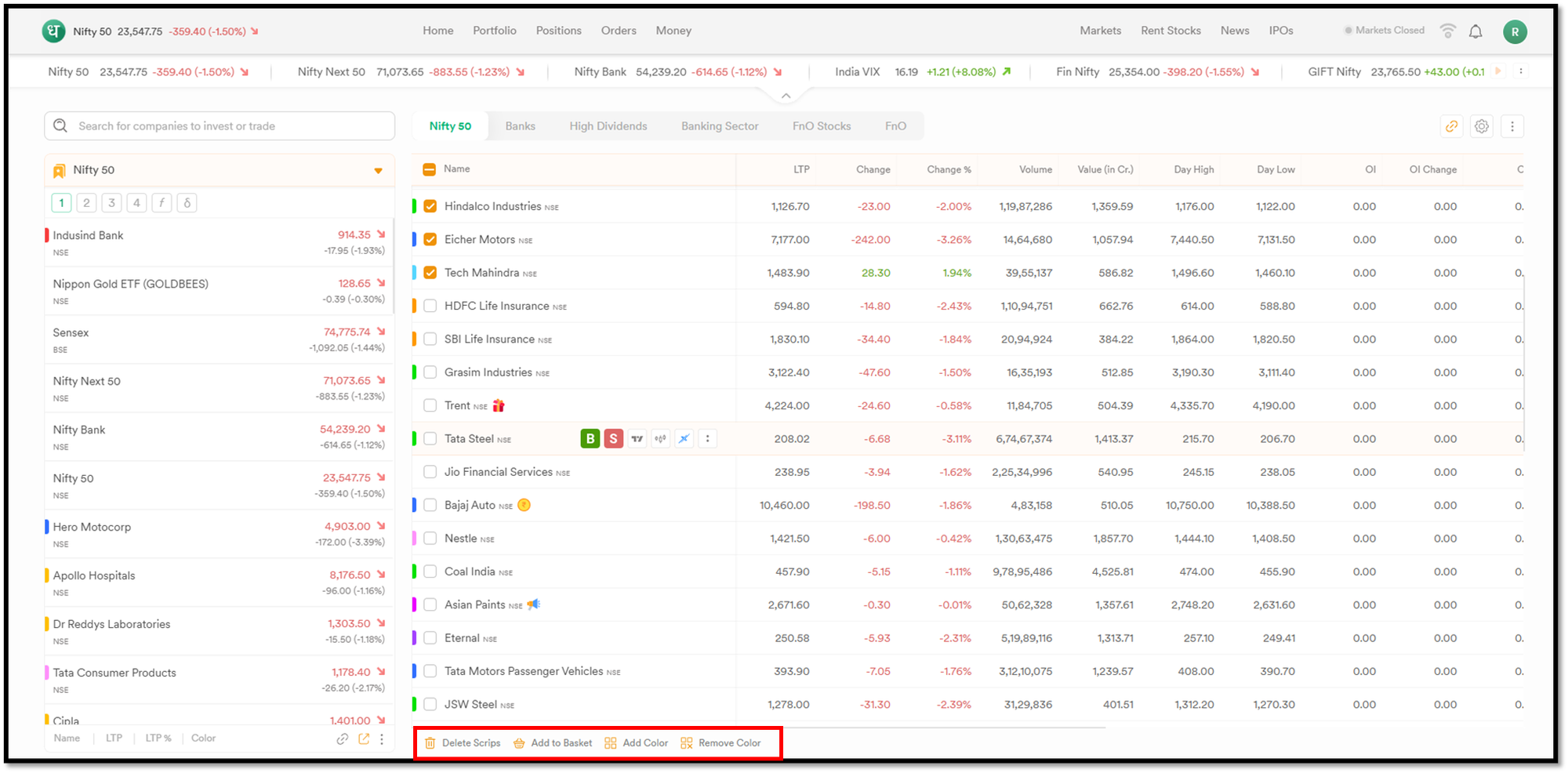
Through the Full View mode, you can select multiple stocks and apply bulk actions such as adding or removing colour tags, deleting scrips, or adding them to baskets.
The feature also includes column management capabilities, allowing you to choose which fields are displayed and rearrange them according to your requirements.
Why this feature matters
The following are the key reasons behind the existence of this feature.
Bulk actions across multiple stocks
Certain watchlist actions may involve several stocks at once. Multi-Select capabilities allow users to select multiple scrips together and apply the same action across all selected entries instead of repeating the process individually.
Greater flexibility in watchlist organisation
Different users prioritise different information when tracking markets. Column customisation allows watchlists to be adjusted according to individual tracking preferences by selecting only the fields that are relevant to the workflow.
Reduced watchlist maintenance effort
Managing larger watchlists usually involves updating tags, reorganising stocks, or cleaning up entries. The feature simplifies these maintenance tasks and helps keep watchlists organised.
How Advanced Watchlists work
Follow the steps below for using the Advanced watchlists with the multi-select feature.
- Log in to your Dhan account on https://login.dhan.co/. You will see the watchlist on the right side of the home page.
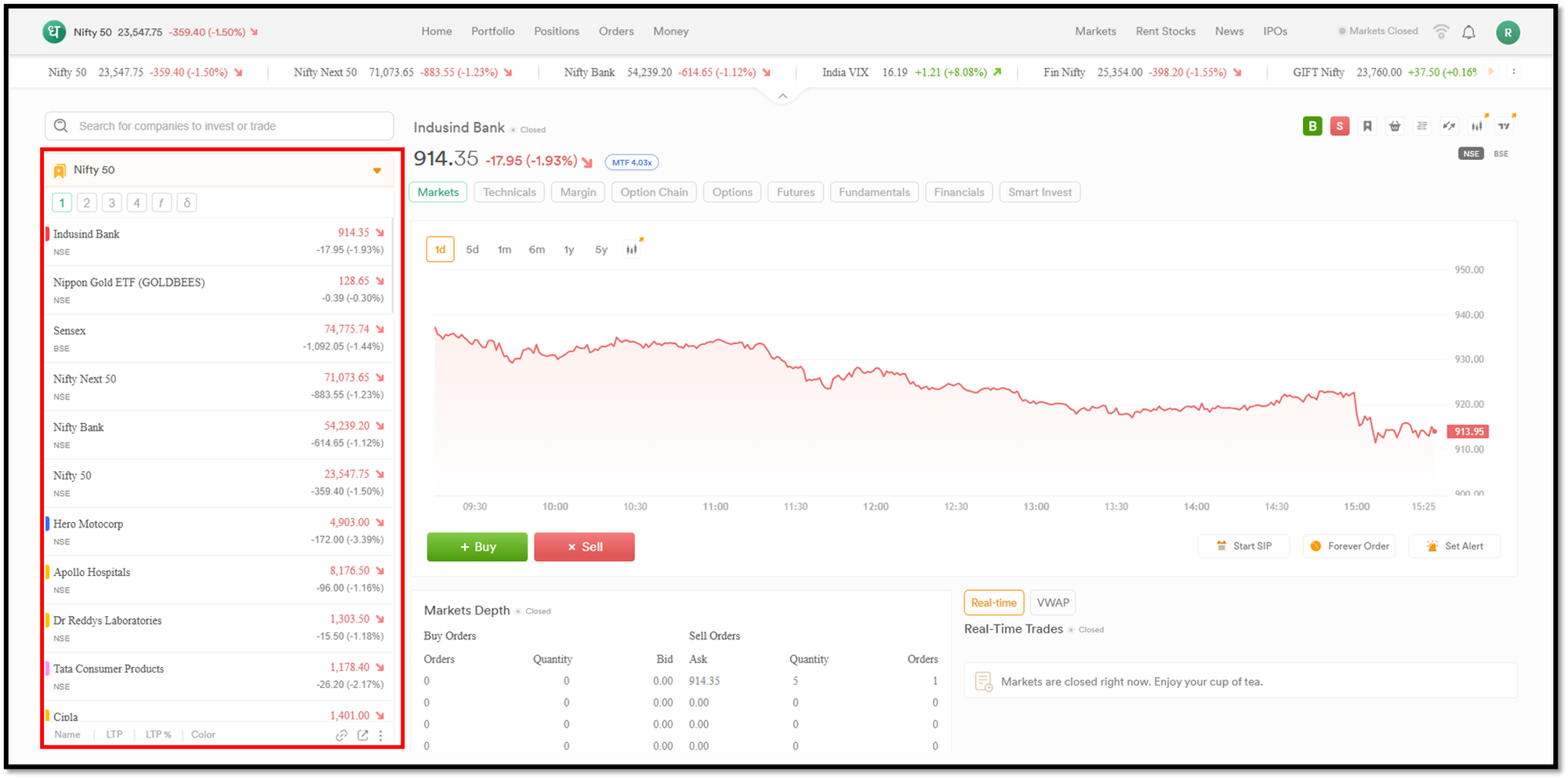
- Click on the full watchlist icon located at the bottom left corner of the watchlist. Refer to the figure below:
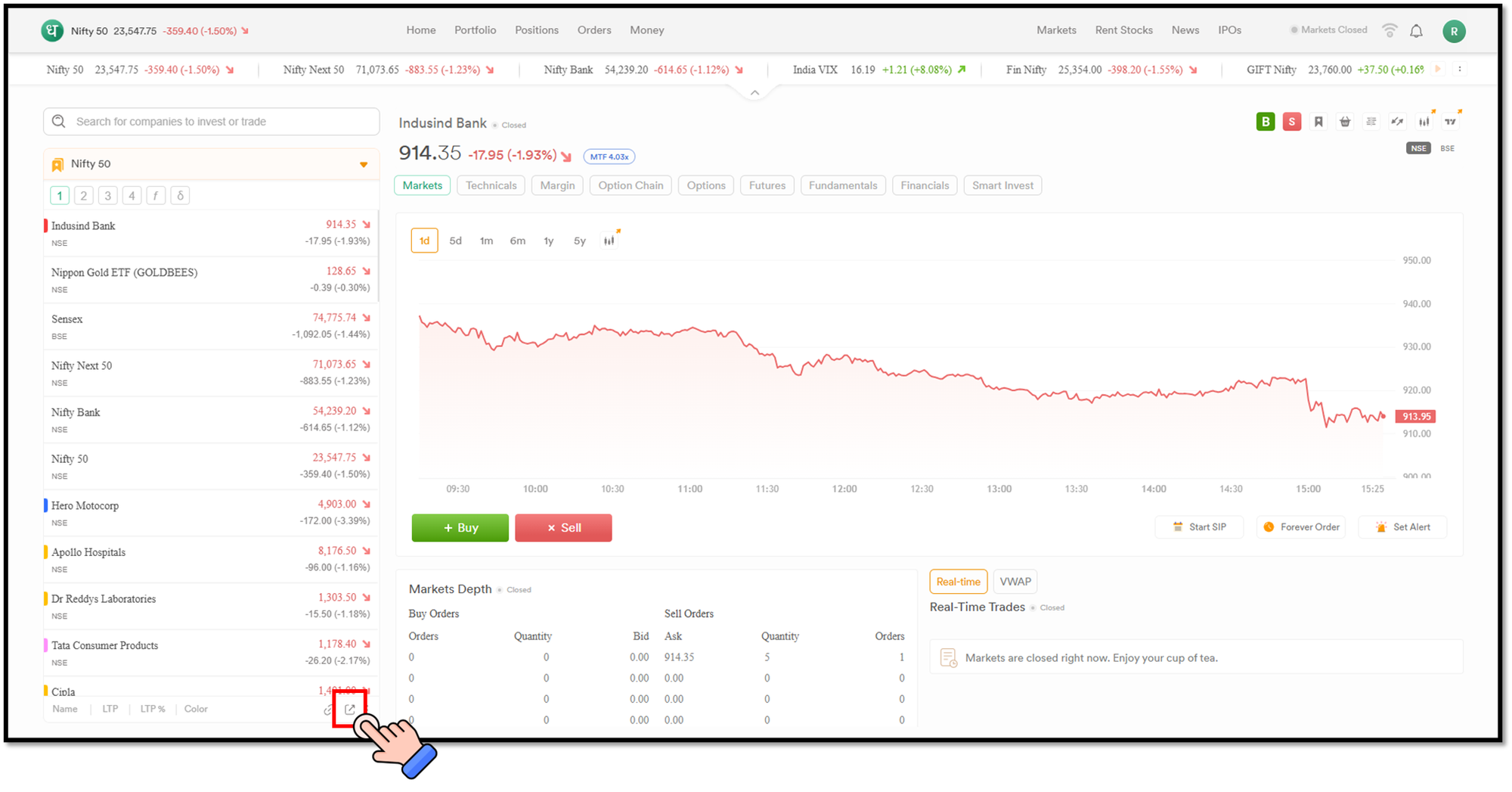
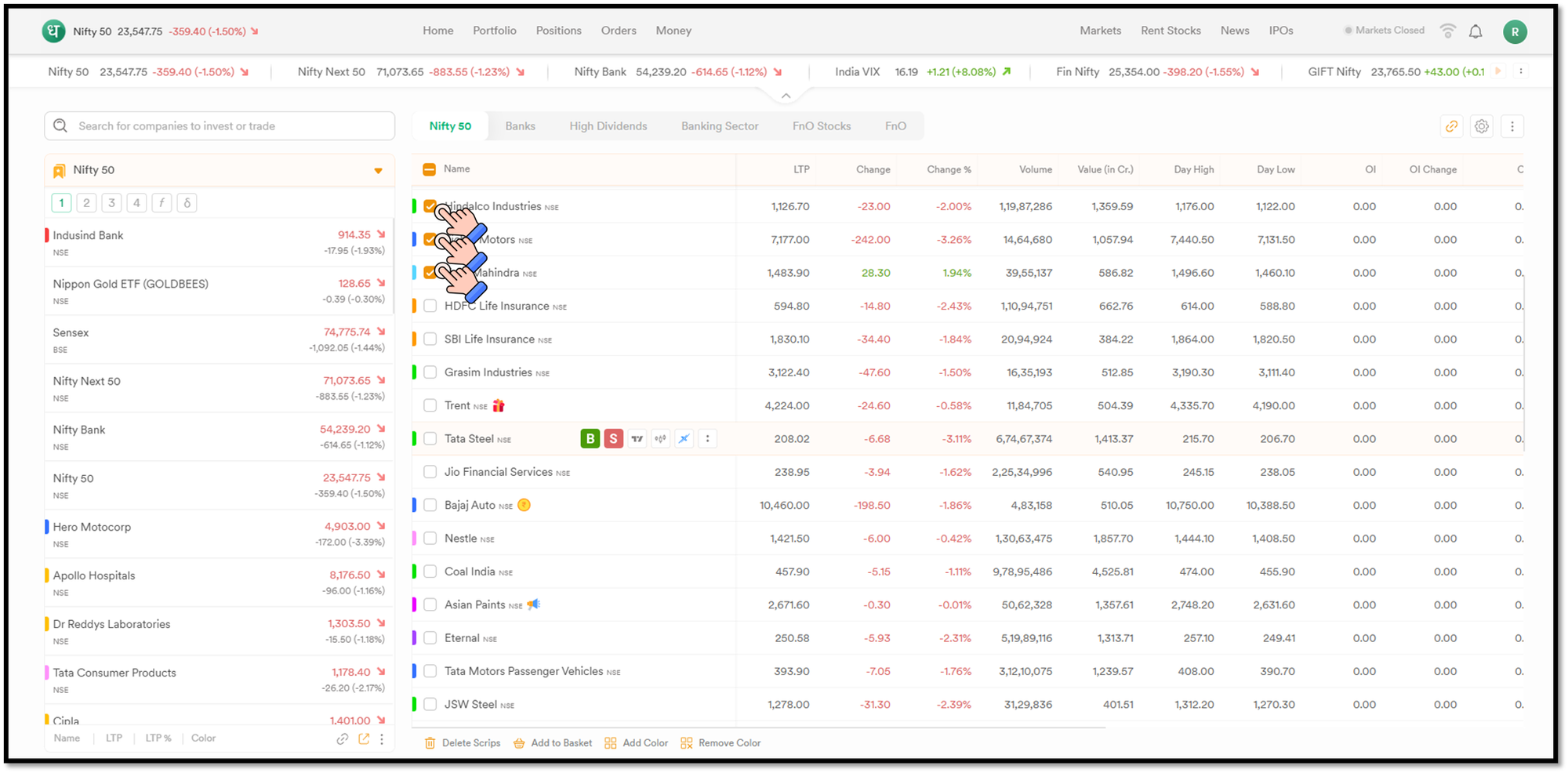
- You will see the list of watchlist stocks on the right side panel. You can select the desired stocks by clicking the checkbox in front of each stock.
- Once selected, you can take the desired action from the action bar located at the bottom of the list.
Key benefits of Advanced Watchlists
The key benefits of Advanced Watchlists are as follows:
- With multi-select functionality, you can take bulk actions across multiple stocks instead of managing each one individually.
- The Feature simplifies the common watchlist management tasks such as tagging, deleting, and basket creation.
- You can create a more personalised watchlist structure for market tracking by rearranging watchlist layouts.
Use cases
The following are the practical use cases of Advanced Watchlists with Multi-select.
Organising stocks by category
A trader tracking multiple market themes may want to apply colour tags to a group of stocks together. Multi-Select allows those updates to be applied in a single action instead of repeating the process stock by stock.
Tracking and managing large watchlists
An investor reviewing an existing watchlist may decide to remove several stocks that are no longer being tracked. Multiple entries can be selected and deleted together through the same workflow. This makes it easier and more efficient to filter stocks when trading and investing.
Final thoughts
You can manage your watchlists more expansively on Dhan Web using the Advanced Watchlists Multi-select Feature. Previously, you would have to go and update every stock on the watchlist individually for several actions. As the watchlist evolved to include more and more stocks, this became repetitive. By introducing bulk actions and column customisation, the Advanced Watchlists feature addresses a practical watchlist management limitation and creates a more structured workflow for organising and tracking market opportunities.