


How to set up a trading terminal?







The Indian stock market is fast-paced; prices change in milliseconds, so your speed of execution is your greatest advantage.
Understanding the entire process of setting up a trading terminal is the first crucial step to building a professional trading environment. A poorly configured trading terminal can cost you missed opportunities, unintentional orders and slippages.
Here is a step-by-step guide on how to build, set up and optimise a trading terminal for using it at maximum efficiency.
Step 1: Ensure suitable hardware and connectivity
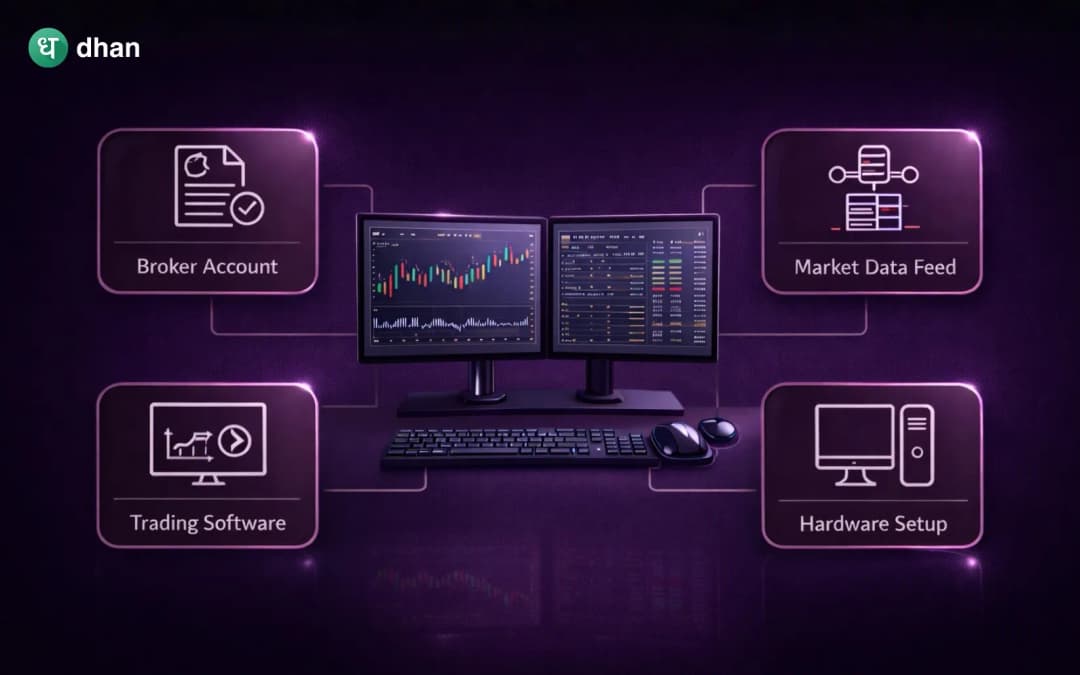
Before downloading any software, check whether your physical infrastructure can process real-time data from the markets. Stock exchanges transmit large quantities of data; thus, your hardware needs to be compatible with it and process it instantly.
- Computing power: Don't use old machines. Use a modern multi-core processor with sufficient RAM. This allows instant loading of multiple chart layouts and real-time options without freezing.
- Monitors: While a single screen works for beginners, a dual-monitor setup is common among full-time traders. One screen is used for charting and technical analysis, and the other is used for order execution, watchlists and tracking open positions.
- Network redundancy: Use a broadband connection (LAN) as your primary network, and maintain a secondary internet connection (4G/5G hotspot) as backup to ensure real-time connectivity.
Step 2: Choose and install a trading terminal
There are three major types of trading terminals offered by Indian brokers: Web-based, desktop applications and mobile apps.
- Select the broker: Choose a SEBI-registered broker that offers low latency and high uptime, e.g. Dhan
- Download and install: If you are using a desktop or mobile version, then download the trading terminal directly from the official site of the broker to prevent any malware. For a web terminal, use the trading terminal through a browser such as Google Chrome.
- Secure login: Launch the application and enter your Client ID or BO ID and password. Indian brokers, as per SEBI and exchange cybersecurity guidelines, have mandated two-factor authentication (2FA) for all accounts using any of these two from PIN, OTP or biometrics to get access to the trading terminal safely.
Step 3: The core trading terminals set-up process
Once logged in, the trading terminal interface can be intimidating. Here's how to do a complete trading terminals set up:
Build watchlists
The watchlist represents a trader's radar. Instead of adding random stocks into one list, organise them logically on different bases, like:
- List 1: Broad market indices (Nifty 50, Bank Nifty, FinNifty, India VIX).
- List 2: Add core portfolio holdings for long-term investments.
- List 3: Sectoral watch (e.g., IT, Auto, Pharma, based on momentum).
- List 4: Intraday radar (high beta stocks for the current day).
Configure the charting tools
Most of the modern trading terminals offer built-in charting software such as TradingView or ChartIQ.
- Select a background (dark mode is good to reduce eyestrain when working for long periods).
- Save default templates: If your strategy involves using the 50-EMA, VWAP and RSI, use these indicators and save the layout so it applies automatically every time you open a new chart.
Customise the order window
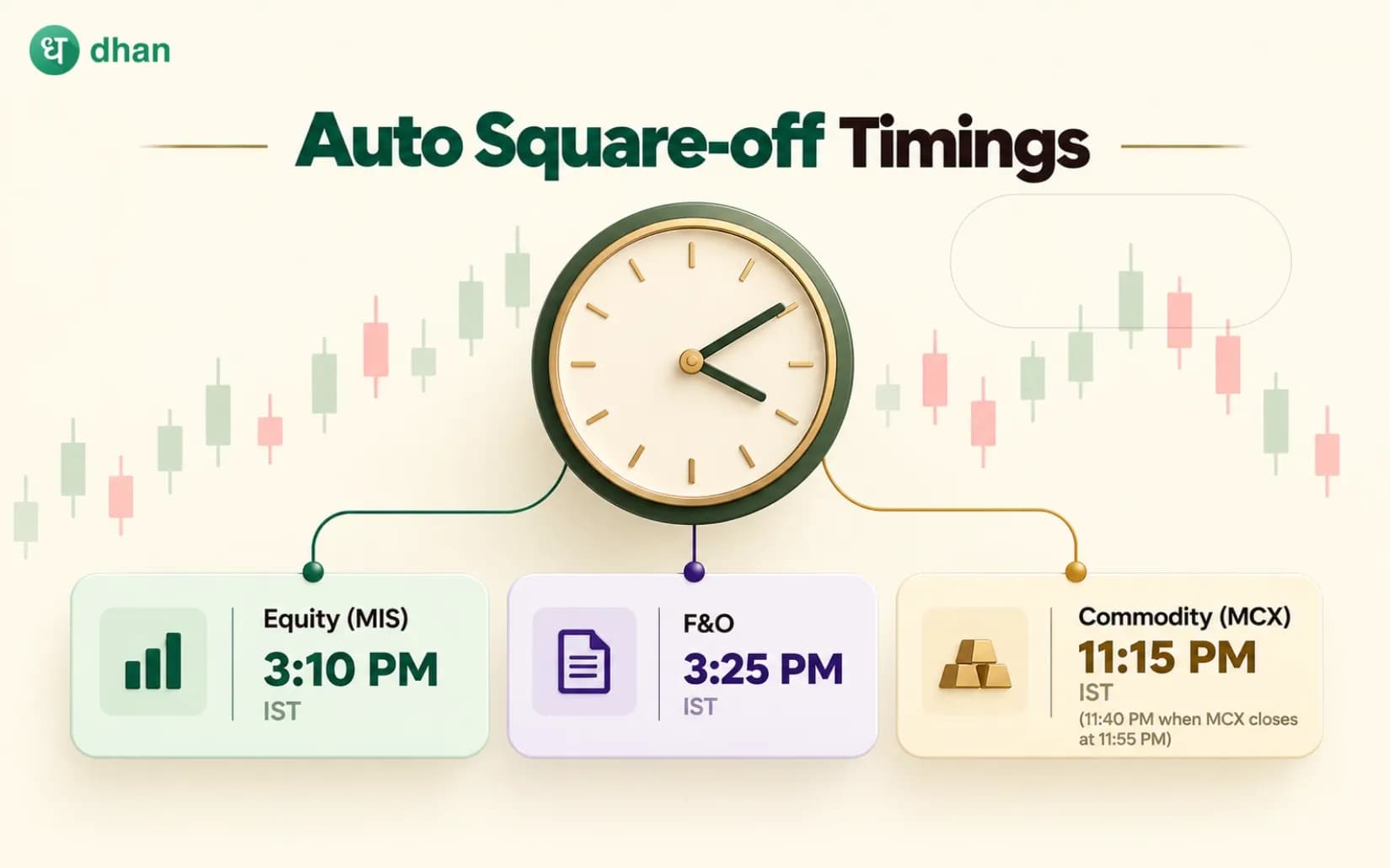
Fast execution requires the use of a streamlined order pad. Understand the difference between MIS (Margin Intraday Square-off ) for intraday trading and CNC (Cash & Carry) for delivery. Additionally, familiarise yourself with different order types like market orders (for immediate execution) or limit orders (for executing at a precise price).
Step 4: Map the keyboard shortcuts
In volatile markets, using several clicks to buy and confirm the order quantity takes too long. Therefore, to save time, professional traders use hotkeys. They use the hotkeys for fast execution and map the default shortcuts on the trading terminal. Some common trading shortcuts on the Dhan platform include:
- Buy Order Window: Ctrl + B
- Sell Order window: Ctrl + S
- Open scrip on tv.dhan.co: Alt +T
- Open Company Page: Enter
- Search a scrip: Just start typing the name of scrip
- Open Chart: Ctrl + C
- Open Full Screen Chart: Alt + C
- Home: Ctrl + Shift + H
- Markets: Alt + M
- Orders: Alt + O
- Money/Funds: Alt + F
- Watchlist: Alt + W
- Portfolio: Alt + H
- Positions: Alt + P
Step 5: Use risk management tools
A trading terminal is not just for entering trades; it is your primary defence mechanism against market crashes.
- Market depth (Level 2 Data): Always keep the market depth window open before placing large orders. It displays the top bid and ask prices, which helps in assessing liquidity and avoiding impact costs.
- Set stop-losses: Use features like Bracket Orders (BO) or Cover Orders (CO). They automatically place a stop loss once the entry order has been executed.
- GTT orders: For swing traders, set up Good Till Triggered (GTT) orders. These are executed only if a stock breaches a specific price, and are valid for up to an entire year.
Conclusion
Setting up a trading terminal is a personalised process. What will work for you as a high-frequency options scalper will be drastically different from a long-term value investor's setup. Take the time to customise your layouts, test your intended strategies, and master hotkeys to ensure smooth navigation through the Indian financial market. A well-configured trading terminal eliminates operational issues and allows you to focus all your attention on the price action and strategy execution.