


Get consolidated view of your portfolio with Unlisted Shares on Dhan






Key takeaways:
- Unlisted, pre-listed, and delisted shares can be viewed directly in your Dhan portfolio.
- Average or cost prices can be manually added for better valuation tracking of these holdings.
- Pre-listed shares, such as IPO allotments, are tagged for easy identification.
- You can manage the visibility of these holdings through Portfolio settings.
You log into your portfolio to review your investments. The listed stocks, the mutual funds, and ETF investments are there, but somewhere in the background, you know that there are some other stocks as well in your demat account, like ESOP shares from your employer, an IPO allotment waiting to be listed, or a bonus issue, but they are not visible in your portfolio.
Unlisted, pre-listed, and delisted shares represent the hidden portion of your portfolio, which exists but isn't visible directly within your portfolio. Thus, every time you access what you actually own, the picture is incomplete.
To solve this problem, we have introduced View Unlisted Shares in Portfolio Holdings, which allows you to view all your shares, whether listed, unlisted, pre-listed, or delisted, in a single place.
What is View Unlisted Shares in Portfolio Holdings?
View Unlisted Shares in Portfolio Holdings is a feature within the Portfolio section of Dhan that brings non-tradable holdings into your main portfolio experience. It provides you with an Unlisted section to view all your eligible holdings, such as ESOP shares, IPO allocations before listing, rights issues, bonus shares, and delisted company shares, along with regular investments.
Why does it matter?
The common pain point for investors who hold unlisted or pre-listed shares is that these shares exist in a financial blind spot. These shares are present in your demat account, they carry value, and in many cases, they also appreciate with time, but they are not visible in your portfolio, making them hard to track, account for, or plan for. Our View Unlisted Shares in Portfolio Holdings fills this void.
Provides you with an overall view of your investments
If your portfolio only displays listed stocks, it is an understatement of what you actually own. Whether it's ESOP shares from your company, an IPO allotment that's waiting to list, or a bonus issue from a long-term holding, all of these holdings significantly contribute to your financial standing. Thus, with View Unlisted Shares in Portfolio Holdings, you can see them in one place and get a true picture of the value of your investment.
Lets you track cost and valuation meaningfully
Unlisted shares often come through different channels, and knowing the cost price at which they come is important for evaluating returns when they eventually list or are transferred. Manual entry of average or cost prices allows you to track the price you paid and use that as a reference point for future decisions.
Removes the need for manual reconciliation
Earlier, the only way to track unlisted holdings was to maintain separate spreadsheets or to remember them. View Unlisted Shares in Portfolio Holdings brings these holdings into your portfolio, eliminates the need for manual reconciliation, and makes investment tracking a seamless process for you.
How does it work?
You can view and manage your unlisted holdings on Dhan by following the steps below:
Step 1: Open the Portfolio section of the Dhan App or Dhan Web.
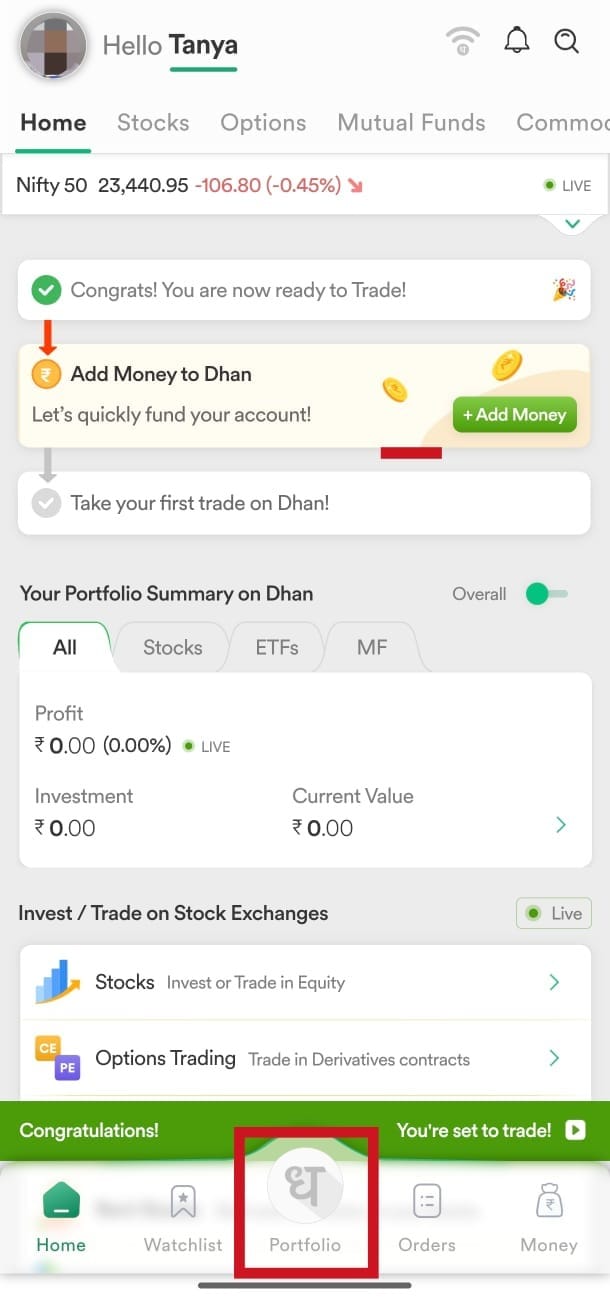
Step 2: Go to the Unlisted section of your Portfolio to view all your eligible non-tradable holdings.
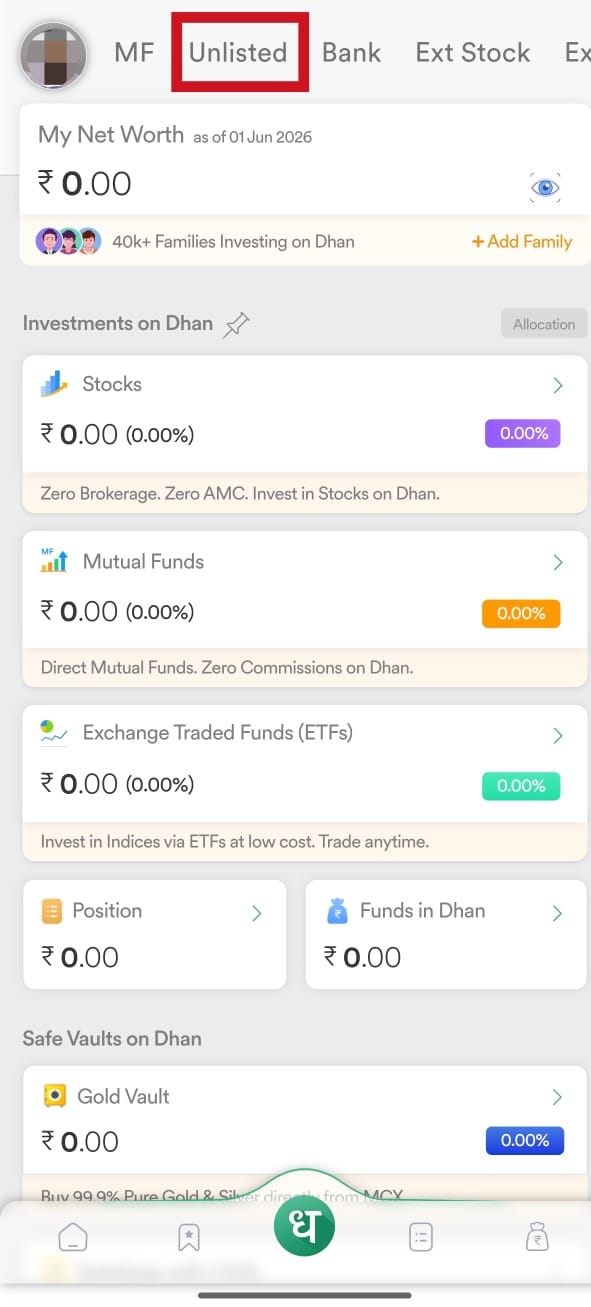
Step 3: Review your unlisted, pre-listed, and delisted shares. The IPO allotments and pre-listed shares will have tags for easy identification.
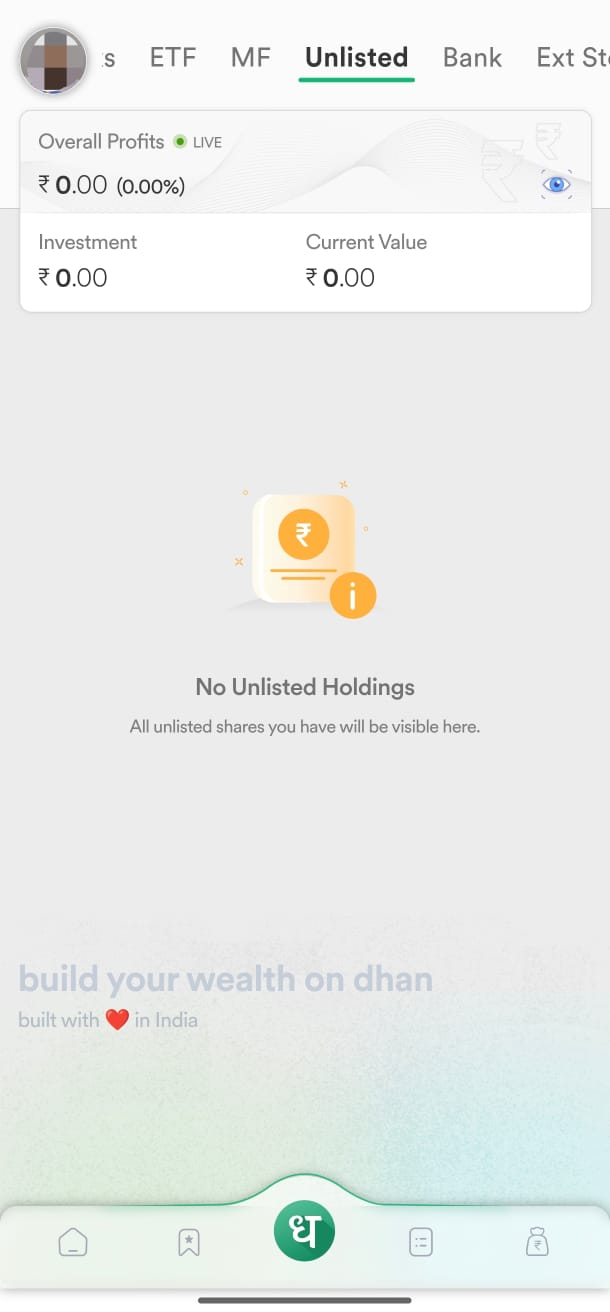
Step 4: If you want to track the valuation of your holdings, you can manually add the average or cost price to it.
Step 5: You can also choose to hide or manage the visibility of these holdings through Portfolio settings.
Key benefits of View Unlisted Shares
View Unlisted Shares in Portfolio Holdings offers you several benefits. Some of those benefits are:
- Broader portfolio visibility: You can now see all your investments, both listed and unlisted, in one place, providing you with a complete view of your investments.
- Cost price tracking: You can manually enter cost prices for unlisted shares, making valuation and return tracking more meaningful.
- Pre-listed tagging: IPO allotments and pre-listed shares are tagged so you can easily identify and plan accordingly for them.
- Flexible display control: You can manage the visibility of unlisted holdings in your portfolio through portfolio settings, keeping your view organised according to your preference.
Use cases
Some practical use cases of View Unlisted Shares in Portfolio Holdings are:
The employee who holds the ESOP shares
Your employer has given you ESOP shares over multiple vesting cycles. These shares are present in your demat account and are not yet available for trading. The View Unlisted shares allow you to see all your ESOP holdings in one place. Additionally, you can also enter the cost price at which they were granted to maintain a reference cost for future valuation or liquidity events.
The IPO investor tracking allotments
You have applied for an IPO and have been allotted its shares, but the listing date is still a few days away. The Unlisted section will display your allotment with an IPO tag, so you can easily view it in your portfolio, without having to check separately for updates.
The long-term investor with delisted holdings
You have shares of a company that has been delisted from exchanges, and the shares are not listed in your active portfolio but are still present in your demat account. View Unlisted Shares makes those holdings visible so that you can include them in your financial overview, add a cost reference, and maintain visibility of these holdings as part of your overall portfolio records.
Conclusion
Our View Unlisted Shares in Portfolio Holdings provides a comprehensive view of all your holdings, including listed, pre-listed, unlisted, and delisted shares, in a single place. It solves the problem of an incomplete portfolio view, where investments are present in your demat account but not visible to you.
It provides you with manual cost price entry, pre-listed tagging, and flexible visibility settings, ensuring you can track every share you own with clarity and accuracy.