


Mark Long-Term Holdings: Avoid Impulsive Decisions While Investing





Investing in the markets requires you to ignore the noise and stay on course. It’s not about impulse, but rather, it’s about taking data-driven decisions based on objective information.
That said, even the best of investors can fall prey to the uncertainty of the markets.
Whether it’s because of stray news or plummeting stock prices, the stock that you once believed in may seem like the worst decision ever, even though, objectively, that may not be the case at all. Mark Long Term Holdings is important here.
What is Mark Long-Term Holdings?
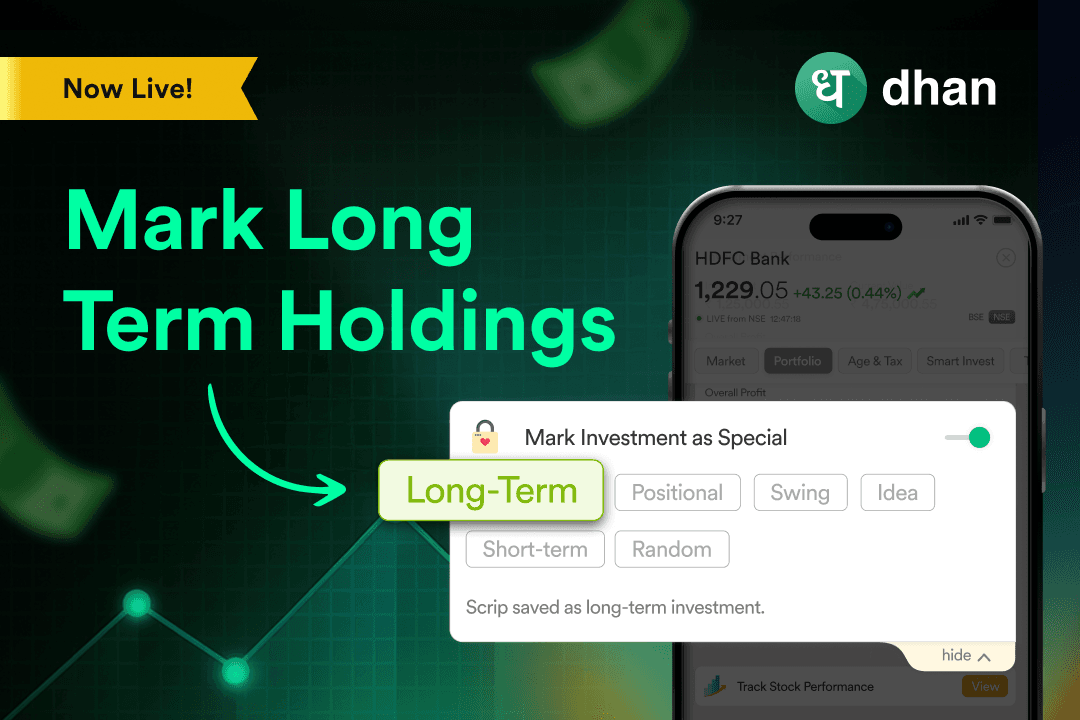
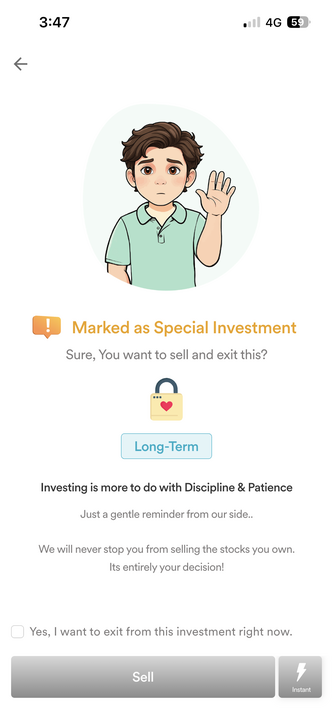
This feature allows you to mark an investment as a long-term holding. If you decide to sell the stock in the short term due to impulse (or otherwise), you’ll get a pop-up screen that reminds you of your actual goal for the stock.
Since you were the one who decided the goal in the first place, the pop-up serves as a reminder for you to revisit your past self’s decision, goals, and strategy. While the reminder exists, the choice remains yours, and you can sell the stock if you wish.
How to Mark Long-Term Holdings?
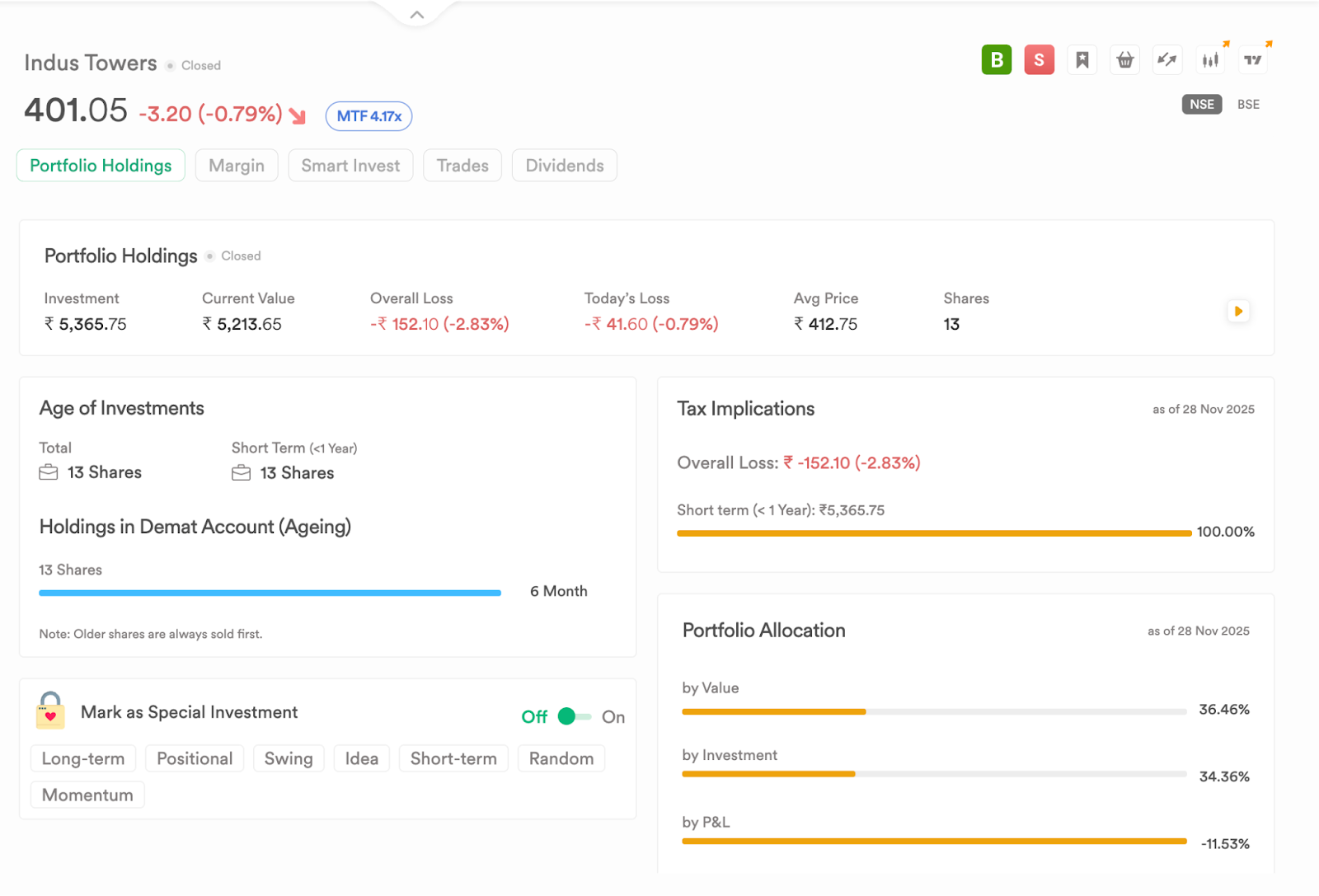
You can mark long-term holdings from Dhan App and Dhan Web. All you have to do is navigate to your Portfolio. Once you’re there, go to any stock that you’ve bought. This stock, if present in your demat account, will be visible there.
Scroll to see “Mark Investment as Special”. It’s a toggle that you can switch on to instantly mark your holding. Before you do, though, select the “More” drop-down. It shows you all the tags that you can use.
In this case, it’s Long Term, but you can select others as well, such as Short Term, Positional, Swing, and others.
Example of Mark Long Term Holdings
Viniyog Nivesh buys ITC with a clear long-term horizon. To stay disciplined, he opens his Dhan Portfolio, taps on the stock, and switches on “Mark Investment as Special” and selects the tag “Long Term”.
A week later, sudden market noise tempts him to sell all of his ITC stock. When he taps “Sell,” a pop-up reminds him: “Marked As Special Investment”.
FAQs on Mark Long-Term Holdings
1. What is Mark Long-Term Holdings?
It’s a feature that lets you tag a stock as a long-term holding to help avoid impulsive exits.
2. Where can this feature be found?
It is available on both the Dhan App and Dhan Web within the Portfolio section.
3. How do investors mark a stock as long-term?
By selecting any stock in the Portfolio and toggling “Mark Investment as Special” with the Long Term tag.
4. Does marking a stock as long-term restrict selling?
No, it only shows a reminder before selling, and you can still choose to proceed to sell.
5. Can multiple tags be applied?
Yes, users can choose from tags like Long Term, Short Term, Positional, Swing, and more.
6. What happens when trying to sell a marked long-term holding?
A pop-up reminder appears to revisit the original long-term intent before placing the sell order.
7. Is the tag visible across the app and web?
Yes, the tagging is synced across both platforms.
8. Can tags be changed later?
Yes, you can modify or remove the tag anytime.
9. Does tagging affect the stock’s P&L or valuation?
No, tags are purely a behavioural reminder and do not impact P&L or pricing.
10. Why is this feature useful?
Marking your long-term holdings allows you to stay invested in your original strategy while nudging you to reconsider the sell decision.