


How to Automate Trading using API?







Key takeaways:
- A trading API connects the trader's code to the broker's systems, enabling automated trading workflows.
- Automation executes strategy; it does not create one. A well-built system running a poor strategy will still produce losses.
- The automated system performs tasks such as fetching market data, generating signals, placing orders, and managing positions.
- Sandbox testing allows traders to test their systems under conditions close to live markets without risking capital.
- SEBI mandates that algo strategies in India be tagged and approved before live deployment.
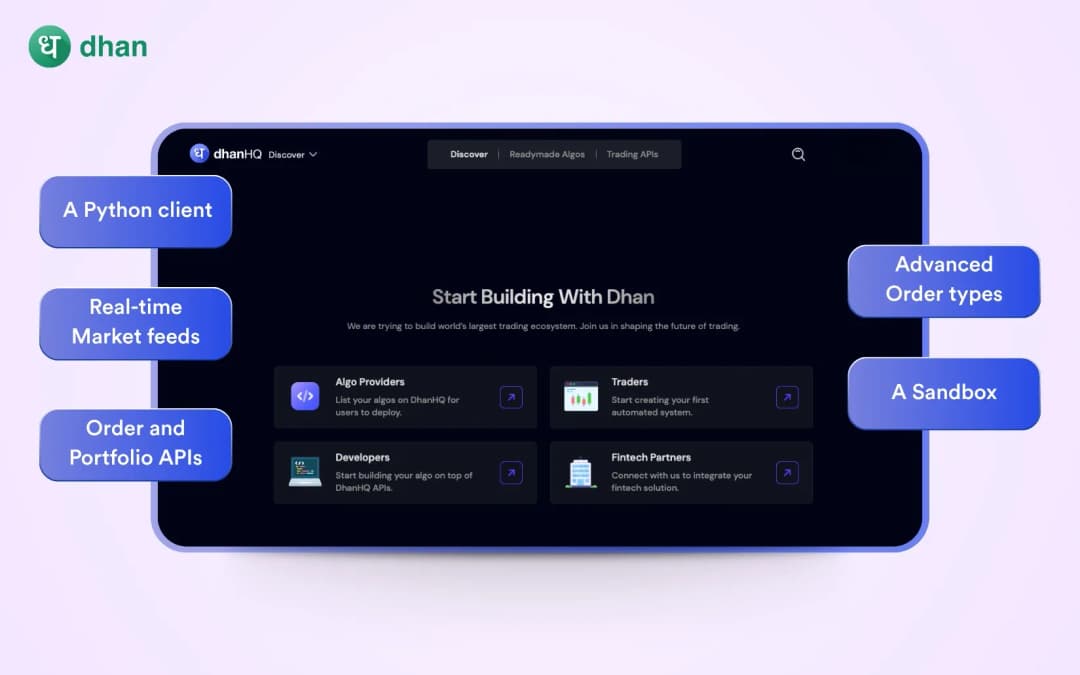
- DhanHQ APIs are free for Dhan users and include a Python client, real-time market data feeds, order and portfolio APIs, advanced order types, and a sandbox environment for pre-live testing.
Manual trading requires a trader to monitor markets, interpret signals, and place orders all in real time. For strategies that depend on precise timing or continuous market monitoring, doing this by oneself creates a structural disadvantage for a trader. A signal identified a few seconds late, or an order placed after the market has already moved, directly leads to execution slippage.
API-based trading addresses this by connecting a trader's strategy logic directly to the broker's systems. Instead of the trader placing each order, the code does it faster, consistently, and without the emotional interference that affects manual execution. In this blog, we will explore how traders can automate their trading workflow.
What does API-based Trading actually do?
In practical terms, a trading API automates the following tasks for traders:
- Fetch market data: Get live or historical quotes, depth, and indicators required by the trader's strategy.
- Generate signals: Make trading decisions based on traders' logic.
- Place and manage orders: Place market, limit, stop-loss, and bracket orders; modify and cancel orders programmatically.
- Monitor positions and risk: Track open positions, margins, and P&L in real time, and set pre-defined risk limits.
However, the API does not make a trader's strategy profitable; it executes their rules faster and more consistently while reducing manual errors and emotional interference.
How to transform an idea into an automated system?
Turning a trading idea into an automated workflow usually follows this sequence.
Define the strategy
Document entry conditions, exit conditions, position-sizing rules, and maximum risk limits precisely before writing a single line of code. Automation then becomes the process of translating those rules into executable code. If a strategy cannot be expressed as a set of unambiguous, repeatable conditions, it is not ready to be automated.
Connect to market data and build signal logic
Once the strategy is defined, the first technical step is connecting to a live or historical market data feed. Most trading APIs provide endpoints to retrieve OHLC price data, live quotes, depth of market, and tick-by-tick trade data. The strategy's signal logic runs continuously against this incoming data and triggers the next layer when conditions are met.
Implement order placement and risk controls
The order management layer places orders when signals are triggered, monitors order status, and manages exits based on profit targets, stop-losses, or time-based rules. Include risk management features such as daily loss limits, circuit breakers, position-size caps, and periodic checks. Implement these risk controls from the beginning.
Test before going live
Don't implement any automated system directly into live markets without testing. Testing occurs in two stages: backtest against historical data to evaluate strategy behaviour, followed by sandbox or paper trading in a simulated live environment to test the technical layer, whether data connections work correctly, orders place and cancel as expected, and risk logic triggers when it should or not.
Monitor, log, and iterate
Automated trading workflows are not a set-and-forget proposition. Traders need active tracking of their trading workflow. They can use a combination of alerts and regular checks, and make corrections as needed to the strategy.
Important considerations of using an API
For security reasons, traders should not disclose their credentials and should use OAuth, two-factor authentication, and restrict API access to whitelisted IPs, while brokers should store the audit log of their API activities for at least five years. Moreover, an algo order should have an Algo-ID for traceability.
On a regulatory front, retail algo trading is legal in India via registered broker APIs, as long as traders follow the exchange and SEBI regulations. SEBI has mandated that algorithmic trading strategies in India be tagged and approved before going live with real capital. This applies to any system that places orders automatically through an API rather than through manual input.
How DhanHQ APIs support the automation workflow
For traders exploring automation, DhanHQ APIs offer an accessible infrastructure layer without traders needing to build everything from scratch. DhanHQ provides the following to support automation:
- Free trading APIs: DhanHQ APIs are available at no additional cost to Dhan users, eliminating the access barrier.
- Python Client: Dhan provides an official Python client library that reduces the setup effort required to connect a strategy to the API.
- Real-time market data feeds: Live market data feeds allow automated strategies to run logic on real-time data.
- Order and Portfolio APIs: Order placement, modification, cancellation, position retrieval, and portfolio data are all available through structured API endpoints.
- Advanced order types: Dhan supports advanced order types like GTT, bracket, and other conditional orders to implement robust risk management.
- Sandbox environment: Before going live, traders can test strategy code in Dhan's sandbox, reducing the risk of costly mistakes.
Wrap up
Automating trading workflows is no longer an institutional monopoly. Dhan enables retail traders to translate their trading strategies into actionable, rule-based automated workflows that execute quickly and reliably. Automated trading isn't about giving up control to automation; it's about minimising friction, building discipline, and amplifying what works.
With Dhan, traders don’t need to build an entire trading system from zero to start exploring automation. By leveraging DhanHQ APIs, traders can focus on their logic, risk parameters, and execution quality while the API handles secure market access, order routing, and portfolio tracking. Thus, automation becomes a tool that amplifies traders' processes, not a substitute for them.